Addlight auxiliary headlamps2.5.2
Publisher Description
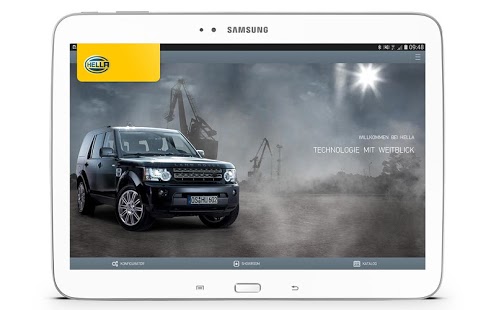
Try our headlamps out for yourself: Find HELLA auxiliary headlamps on one of our detailed vehicle models or directly on your own vehicle – with 3D real-time visualization. It has never been easier to find the right headlamp!
With HELLA Addlight reality and the virtual world blend into one. Download the app now free of charge and get started right away.
OVERVIEW OF FUNCTIONS
▶ Install HELLA auxiliary headlamps on one of over ten 3D vehicle models (automobiles, commercial vehicles, trucks) using different mounting positions
▶ The 360° product view shows the mounted headlamp in a realistic 3D environment from every viewing angle
▶ Augmented reality: Place the headlamps directly on your own vehicle using an illumination pattern!
▶ Recognize the difference: 3D illumination comparison between LED, xenon and halogen
▶ Comprehensive product catalog of all lamps with day/night comparison, 3D exploded views of products, technical features, and a whole lot more
▶ Save and share the vehicles you configure in your own showroom
You like the app? Then we'd be delighted to receive a positive assessment from you! Take a look at our other HELLA apps.
Please help us to continuously improve the app. Contact us directly at www.hella.com. We are continuously working on improvements and evaluating your feedback to ensure you continue to enjoy using the HELLA Addlight app.
About Addlight auxiliary headlamps
The company that develops Addlight auxiliary headlamps is Hella. The latest version released by its developer is 2.5.2. This app was rated by 1 users of our site and has an average rating of 5.0.
To install Addlight auxiliary headlamps on your Android device, just click the green Continue To App button above to start the installation process. The app is listed on our website since 2016-08-10 and was downloaded 52 times. We have already checked if the download link is safe, however for your own protection we recommend that you scan the downloaded app with your antivirus. Your antivirus may detect the Addlight auxiliary headlamps as malware as malware if the download link to com.hella.adlight is broken.
How to install Addlight auxiliary headlamps on your Android device:
- Click on the Continue To App button on our website. This will redirect you to Google Play.
- Once the Addlight auxiliary headlamps is shown in the Google Play listing of your Android device, you can start its download and installation. Tap on the Install button located below the search bar and to the right of the app icon.
- A pop-up window with the permissions required by Addlight auxiliary headlamps will be shown. Click on Accept to continue the process.
- Addlight auxiliary headlamps will be downloaded onto your device, displaying a progress. Once the download completes, the installation will start and you'll get a notification after the installation is finished.
Program Details
System requirements
Download information
Pricing
Version History
version 2.5.2
posted on 2016-08-10
We are continuously working on improvements and evaluating your feedback to ensure you continue to have fun with the HELLA Addlight app.,Version 2.5.2 - This is what we have been working on:,▶ minor fiixes
version 1.3
posted on 2013-03-06
Several fixes and updates
